
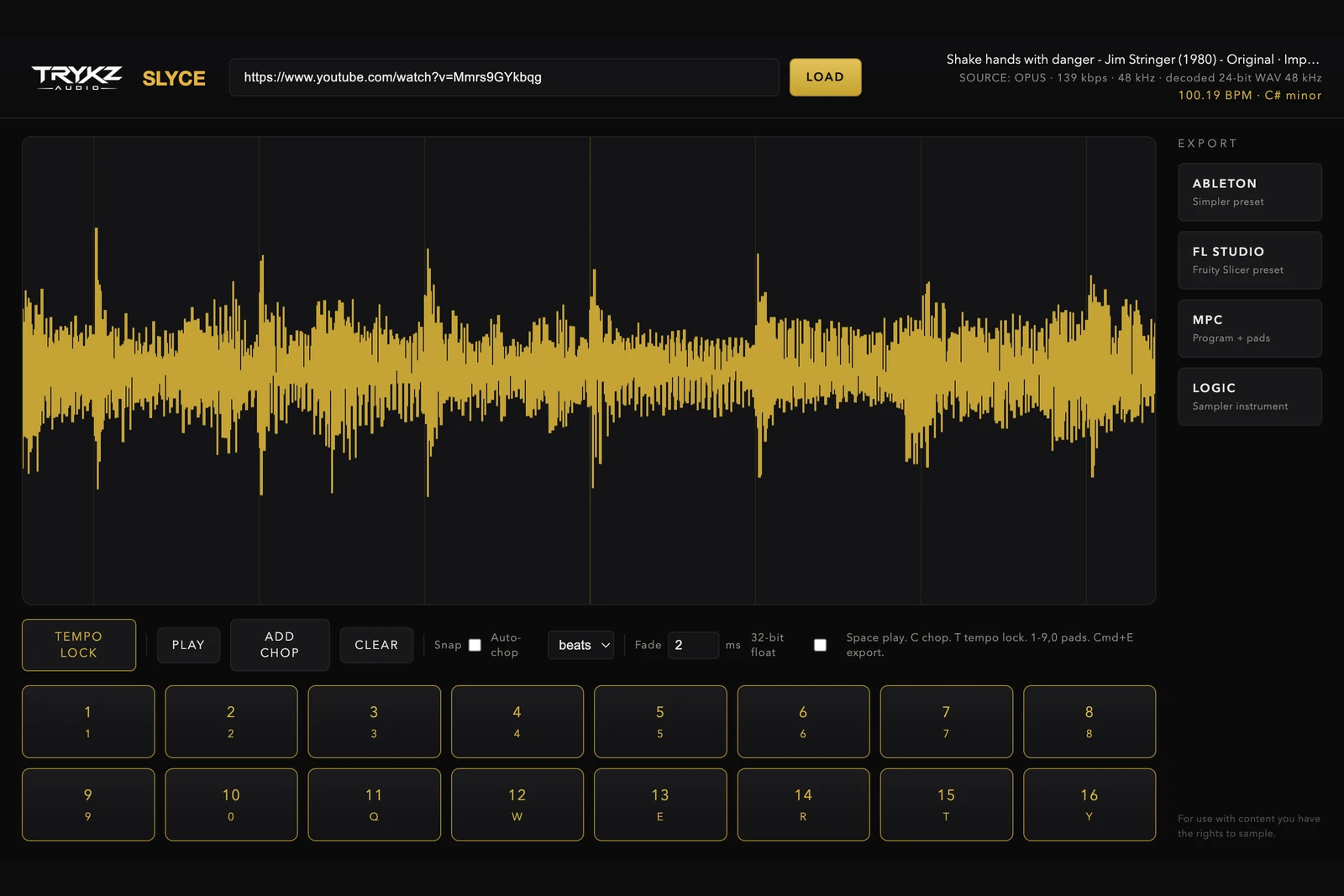
Two producers can chop the same two bars and end up in different genres. Chopping is not slicing; slicing is what software does, chopping is the set of decisions about WHERE. This guide covers both schools, the even grid chop that powers house and garage, and the uneven creative chop that built hip hop, plus the fastest way to get either onto pads.
Grid chops: the even school
Grid chopping cuts the sample at regular musical intervals: every beat, every bar, every two bars. Because every chop starts on the grid, anything you play stays locked to the groove. This is the backbone of house, garage and dance edits, where you want the loop to breathe in new orders without ever losing the pocket.
The classic workflow: confirm the tempo, chop every 1 or 2 beats, then re-order and repeat pads to taste. Keep an ear out for chops that start mid-word on vocals; nudging a chop a few milliseconds early so it catches the consonant makes a vocal chop feel intentional instead of accidental.
Creative chops: the hip hop school
Hip hop chopping is deliberately uneven. A half-beat vocal stab, then a two-bar phrase, then three tight chops in a row on a drum fill, then a long tail you let ring. The unevenness IS the style: it turns one loop into a kit of moments with different lengths and energy, and playing them becomes performance rather than arrangement.
Some habits from the greats worth stealing:
Chop on the moments, not the maths. Put a chop on the exact start of the vocal phrase, the horn stab, the bass slide, wherever your ear goes. If that lands off-grid, good.
Vary chop length hard. A pattern of half-beat, half-beat, two bars, one beat is infinitely more playable than eight identical slices. Short chops are your percussion; long chops are your melody.
Leave one pad ugly. The chop with the vinyl noise, the breath, the room, that is the one that makes the flip feel human.
Doing both in seconds
In TRYKZ SLYCE the two schools are the same three tools. After TEMPO LOCK confirms the BPM and key, auto-chop cuts every 1, 2, 4 or 8 beats for instant grid chops. For creative chops, click anywhere on the waveform to drop a chop exactly on the moment, drag it to fine-tune, and turn snap off when you want to live between the gridlines. Mix the two freely: auto-chop the bones, then hand-place the stabs.
Every chop lands on one of sixteen pads you can play from your keyboard, exactly like a hardware sampler, so you audition the flip while you build it. Chops export as sample-accurate 24-bit WAV with an adjustable fade from 0 to 50 ms when you need to kill a click.
Getting the chops into your DAW
Ableton Live: one click writes a Simpler preset in Slice mode, with your exact chop positions and warp markers at the confirmed BPM, straight into the User Library. FL Studio (Windows and Mac): a Fruity Slicer channel preset, one key per chop, ready to play. Akai MPC: a drum program with a chop per pad for MPC software and standalone hardware. Logic Pro: a Sampler instrument with a chop per zone from C3. In every case the WAVs are named with the tempo and key, so nothing gets lost in your sample folder.
Playing the chop: three exercises
The two-finger flip: pick just two pads, one short and one long, and build a four bar pattern. Constraint forces groove.
The backwards pass: play your chops in reverse order over the same drums. If any two-chop join sounds good backwards, keep it.
The half-time switch: play the same pad pattern at half speed over a half-time drum pattern. Instant B-section.
Auto-chop gives you the bones in one click. The magic is the three chops you then place by hand.
TRYKZ SLYCE is £80 for macOS and Windows, one payment, perpetual licence, with native exports for all four platforms above. If your source is a link rather than a file, start with how to sample from YouTube the clean way. For use with content you have the rights to sample.