
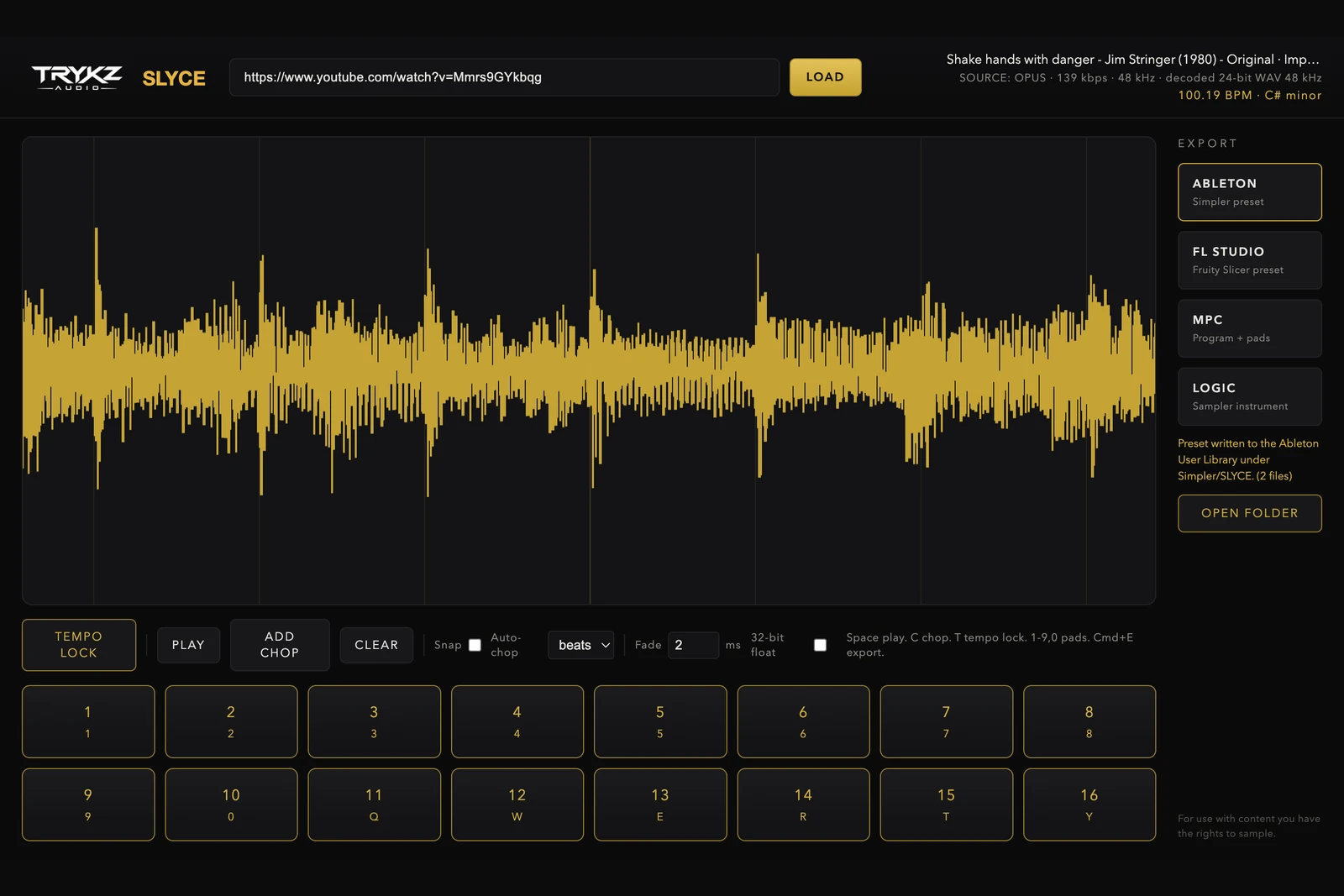
An MPC drum program turns sixteen pads into an instrument, and there is no better feed for it than a well chopped sample. The problem is that building a program by hand is fiddly: trimming each hit, naming files, mapping pads and matching levels. This guide shows the fast way to go from a sample, whether it started as a YouTube link or your own loop, to a ready-to-play MPC program with the chops already on the pads.
What an MPC drum program actually is
A drum program is a set of samples mapped one per pad, each with its own tuning, level, envelope and playback settings. On Akai MPC hardware and MPC software it is the standard way to play a kit or a chopped sample. The strength of the format is that every chop becomes an independent, sequenceable voice; the weakness is that assembling one from raw audio is slow. Chopping the sample correctly first is what makes the program usable.
From sample to program
Bring in the source. For a link, work from a clean decode as covered in how to sample from YouTube the clean way; for your own audio, drop the file in. Let TEMPO LOCK read the BPM and key so the chops are on the grid and your program plays in time with the rest of your beat.
Chop the sample the way you want to play it. Auto-chop by the beat gives you an even sixteen-pad layout instantly, which suits loops and vocal cuts; hand-placing chops suits one-shots and stabs. When the pads feel right, export the MPC program. SLYCE writes a proper program plus sample-accurate 24-bit WAVs named by tempo and key, so the pads are laid out and labelled before you ever open the MPC.
Playing it on the MPC
Load the program and the chops are on the pads in order, ready to finger-drum or sequence. From here you are in normal MPC territory: nudge a pad's tuning, shorten the decay for tighter hits, layer a chop under a kick, or record a pattern and quantise it. Because the chops carry their detected tempo, time-stretching a pad to fit a different project tempo behaves predictably rather than guessing.
Getting more from the pads
Assign related chops to a row so you can roll across them; keep the loudest chop as your reference and trim the rest to match; and use pad mutes to arrange on the fly. A chopped sample played live on the pads has a feel that a pasted-in loop never gets, which is the whole point of building the program rather than dropping the audio on one pad.
TRYKZ SLYCE is £80 for macOS and Windows, one payment, perpetual licence, and also exports native presets for Ableton Live, FL Studio and Logic Pro. If you are chopping your own drums or loops, the same steps apply with a file dropped in. For use with content you have the rights to sample.