
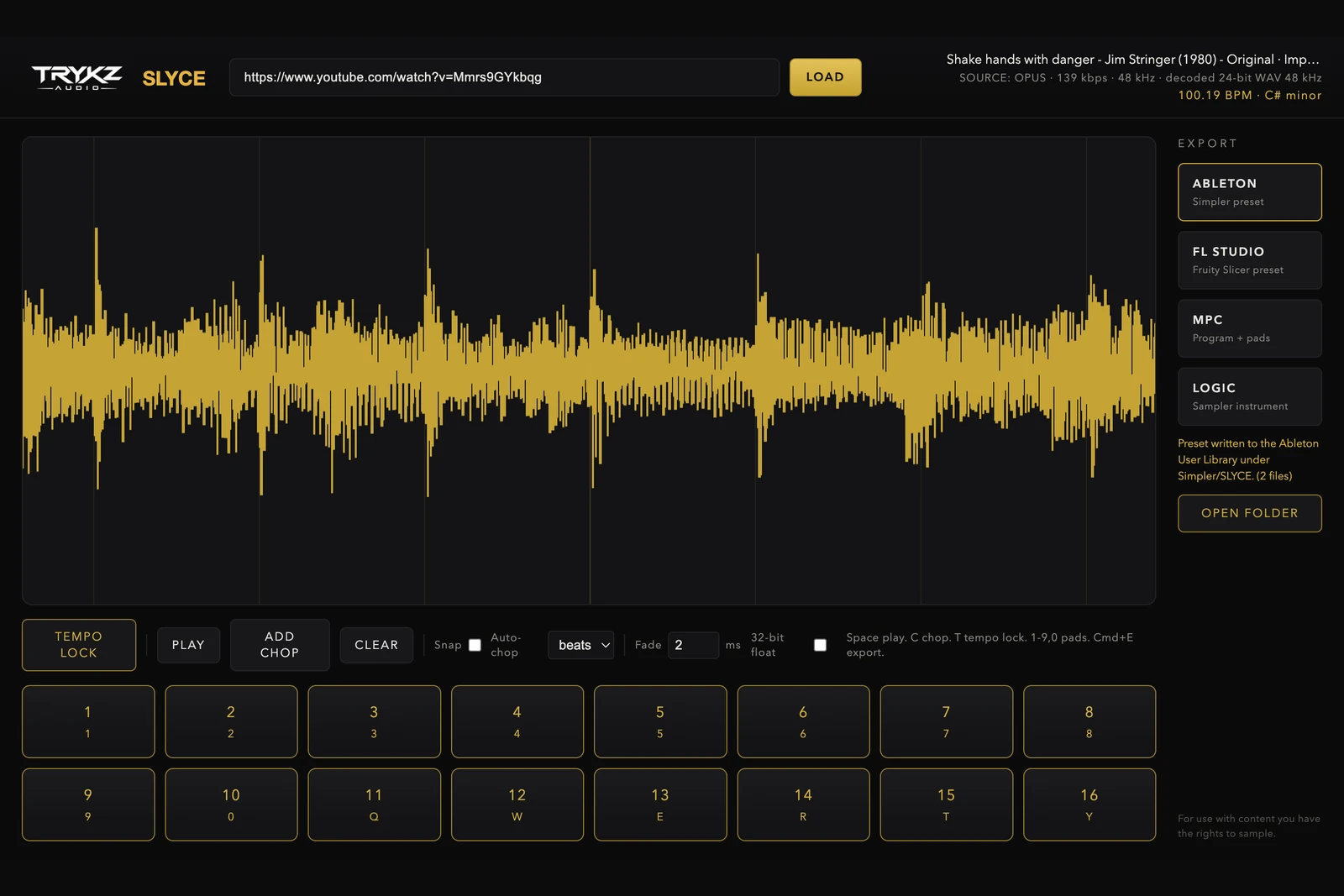
Ableton's Simpler is one of the fastest ways to play a sample like an instrument, but the slow part has always been getting a good sample into it in the first place. This guide covers the clean workflow: take a YouTube link or your own audio, chop it properly, and land it in Simpler with warp markers already in place, so you can start making music in under a minute rather than dragging raw audio around and fixing it by hand.
Why Simpler is the right target
Simpler maps a sample across the keyboard and gives you slice mode, classic mode and one-shot mode, plus filters, an envelope and warping. It is built for exactly the job of turning a chopped loop into playable chops. The friction is preparation: Simpler is happy once the audio is clean, at a known tempo and cut at the right points, but it will not do that preparation for you. That is the gap TRYKZ SLYCE fills before the sample ever reaches Ableton.
The workflow, step by step
Start with the source. If you are sampling from a link, follow how to sample from YouTube the clean way so you are working from a lossless 24-bit decode rather than a re-recorded or converter-site file. If you are using your own bounce or an old loop, drag it straight in.
Next, lock the tempo. TEMPO LOCK detects the BPM and key with a confidence rating, so your chops line up to the grid and Simpler's warp markers sit where they should. Getting the tempo right here is what stops the classic problem of chops that drift out of time once they are in the DAW.
Then chop. Auto-chop on the beat for even slices, or zoom in and place chops by hand for the stabs and phrases you actually want. When it sounds right on the pads, export the Ableton Live Simpler preset. Every chop is written as a sample-accurate 24-bit WAV named by tempo and key, and the preset opens in Ableton with warp markers already placed.
Once it is in Ableton
Open the exported instrument in Simpler and the chops are mapped across the pads ready to play. From here it is normal Ableton: switch Simpler to slice mode to trigger each chop from a separate key, add a filter sweep, automate the start point, or drop the whole thing onto a drum rack if you want to sequence chops against your own kit. Because the WAVs are already at the detected tempo, Ableton's warping keeps everything in time when you change the project BPM.
Three things that make it sound better
First, chop on transients, not just on the grid, when you want the sample to groove; the grid is a starting point, not a rule. Second, keep the source key in mind so your sample sits with the rest of the track, which is why the key readout matters as much as the BPM. Third, use short fades on your chops to kill clicks at the slice points; a couple of milliseconds is usually enough and SLYCE lets you set this before export.
TRYKZ SLYCE is £80 for macOS and Windows, one payment, perpetual licence, with native exports for Ableton Live, FL Studio, Akai MPC and Logic Pro. If you would rather chop your own stems than a link, the same workflow applies with a file dropped straight in. For use with content you have the rights to sample.